 Wrapped
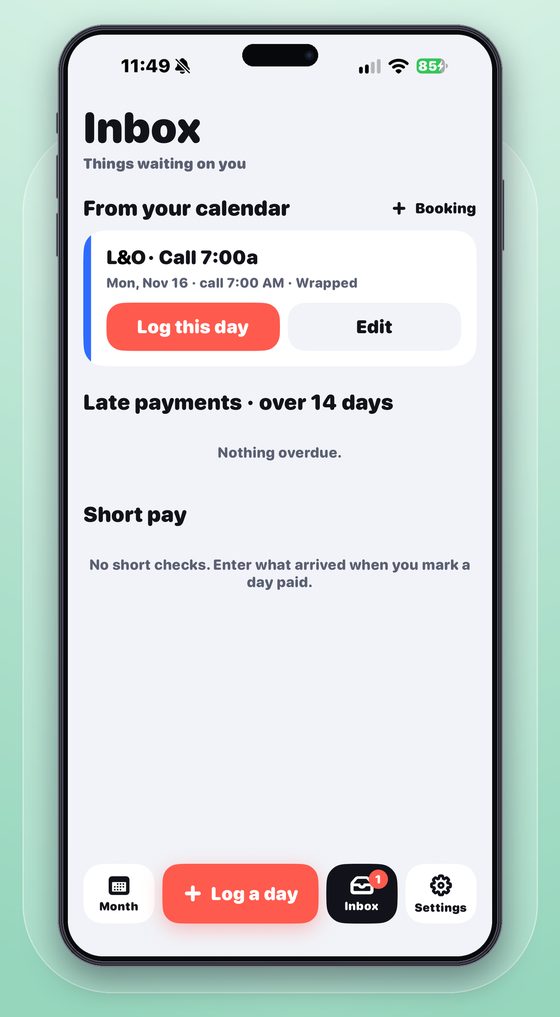
7:00a · Call
Start the clock at call.
Tap Lunch out, Back in and Wrap as they happen — from the app, your Lock Screen, your Apple Watch or Siri. The meal clock counts down so you know when a penalty starts.
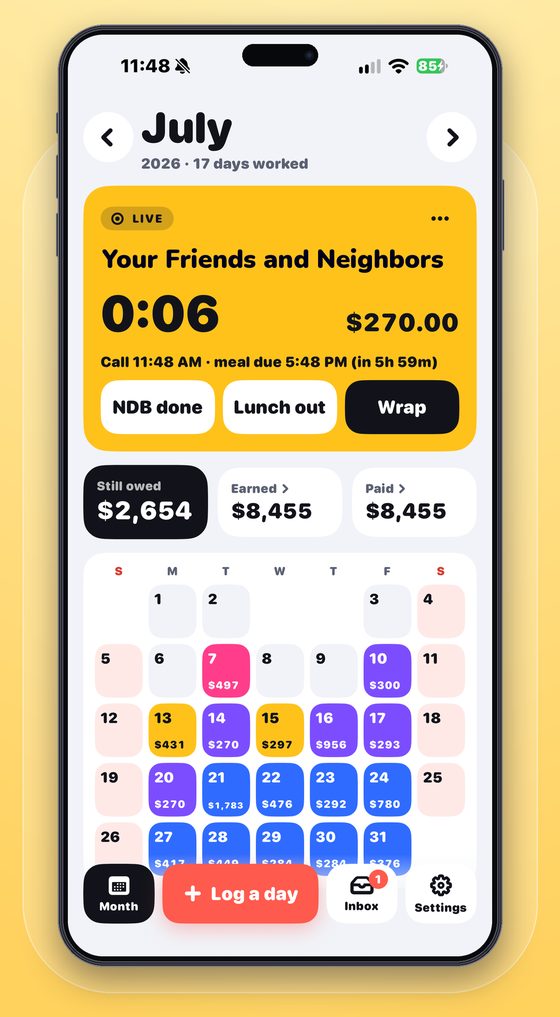
Log your day in a few big taps. Wrapped works out your union pay and tracks every check until you're paid in full.
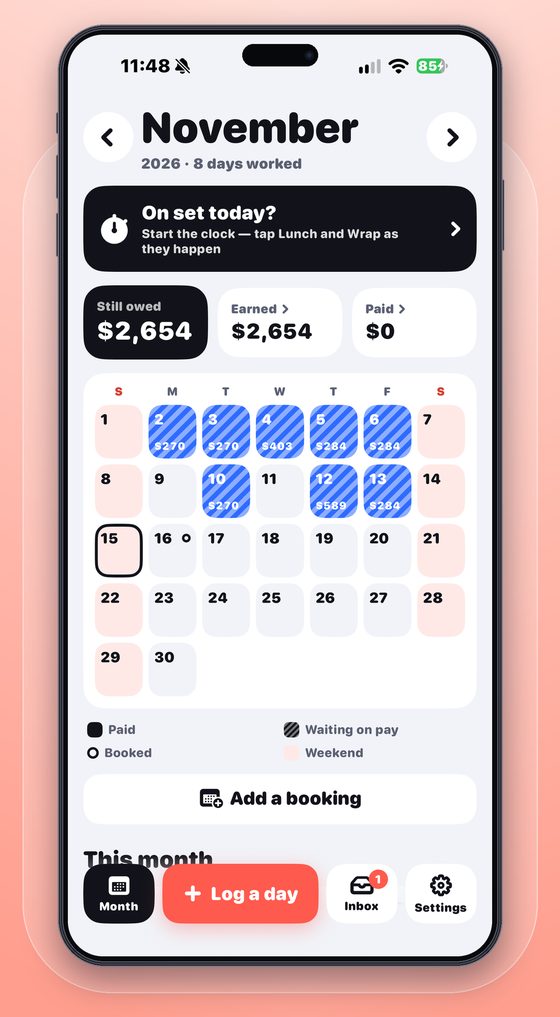
From call time to payday, Wrapped keeps count so you don't have to.
Tap Lunch out, Back in and Wrap as they happen — from the app, your Lock Screen, your Apple Watch or Siri. The meal clock counts down so you know when a penalty starts.
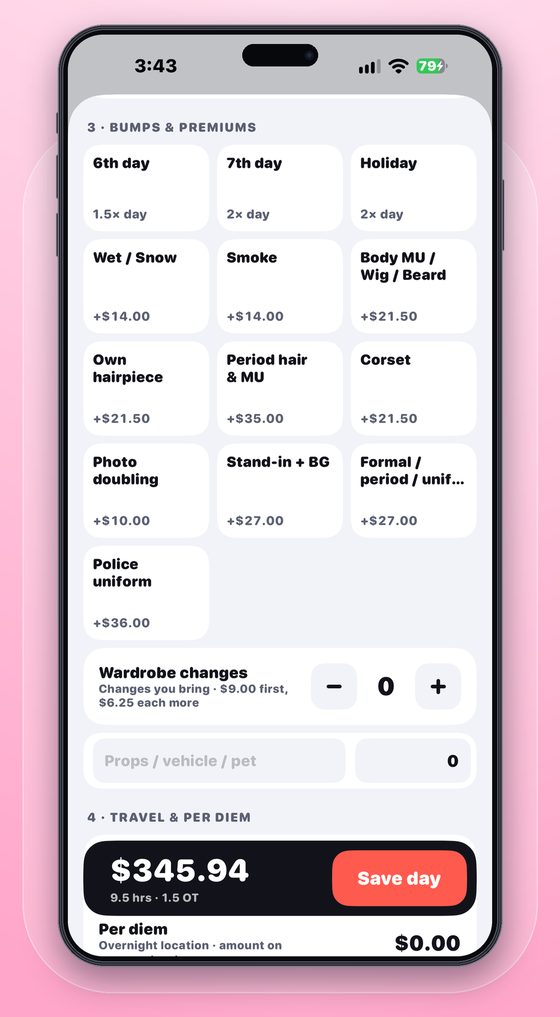
Overtime, meal penalties, night premiums, wet and smoke, wardrobe you bring, holidays and 6th/7th days — worked out from the contract rates for that date.
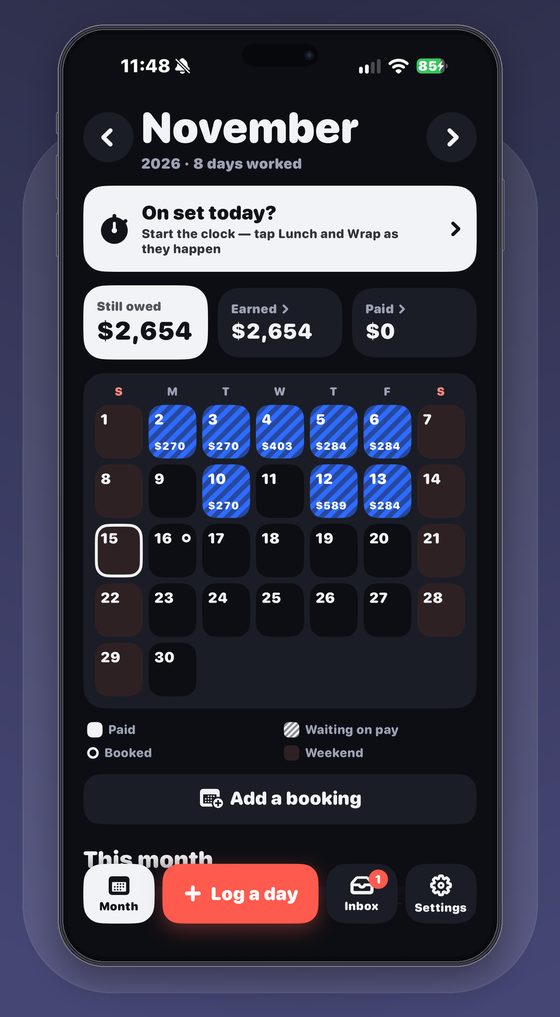
Every day lands on your calendar with its pay. Striped days are waiting on a check — so nothing slips through.
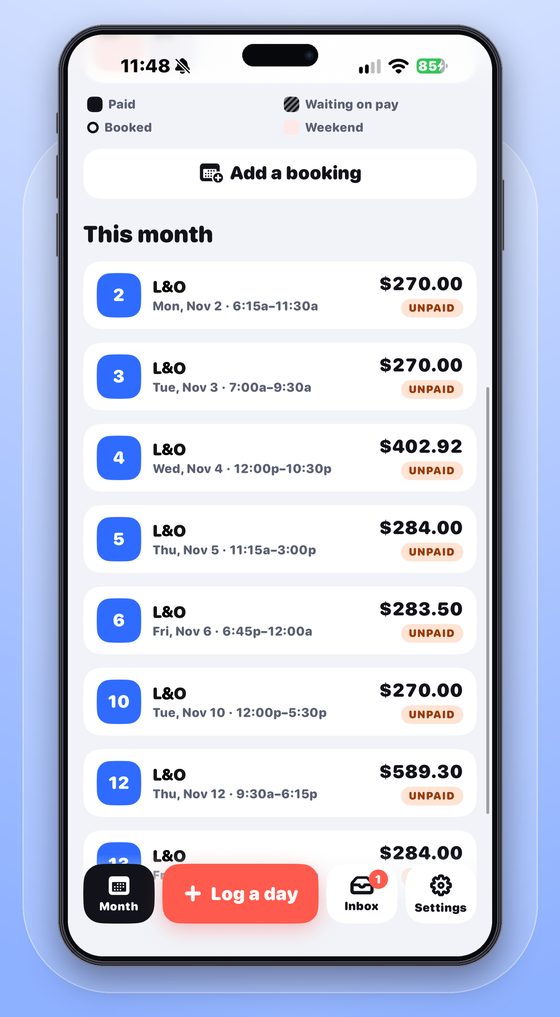
Scan your paystub and Wrapped matches it to your days, marks them paid and flags anything short — with a claim note ready to send to payroll.
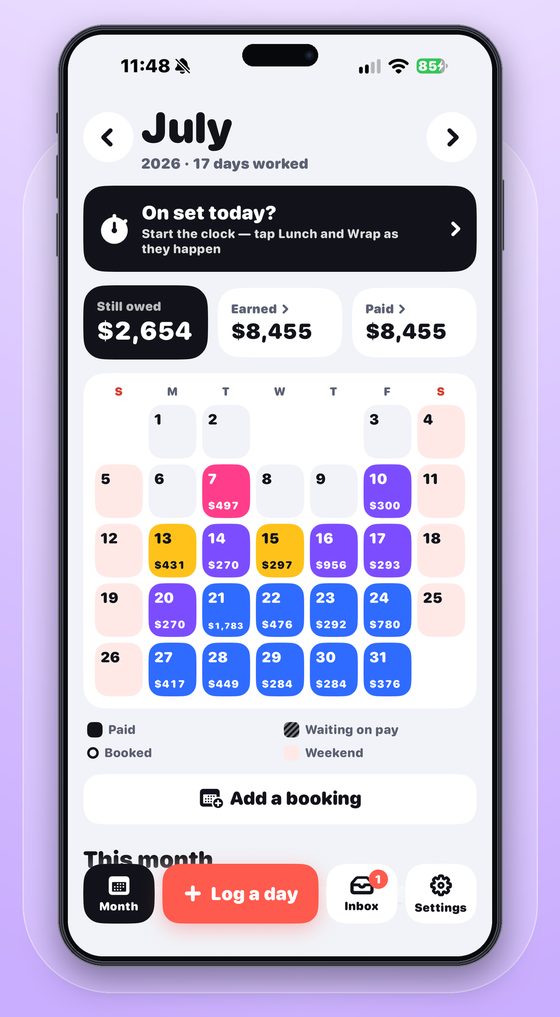
Union pay rules for every kind of job, in one bright, simple app.
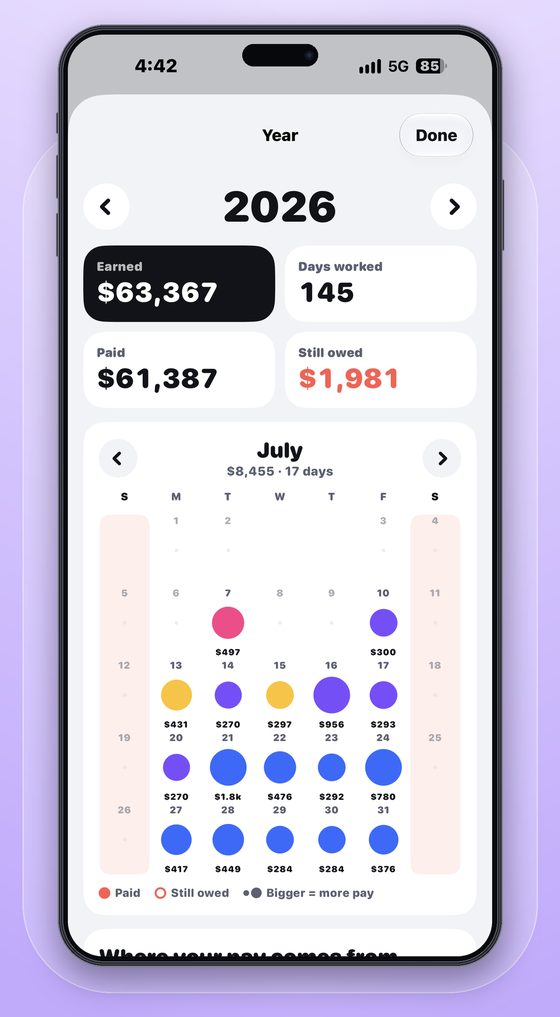
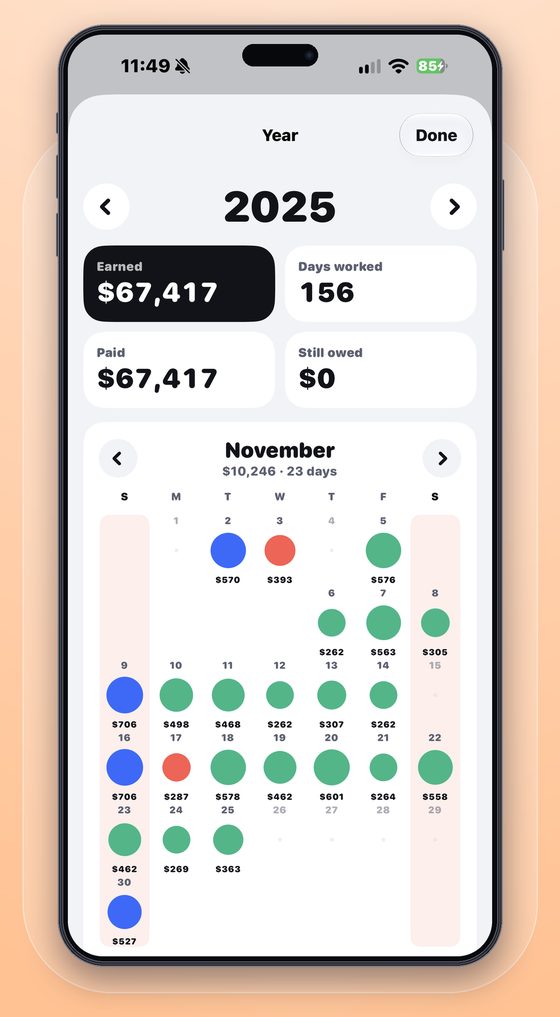
Wrapped Pro turns every logged day into a clear picture of your year.
Every work day as a bubble sized by pay — earned, paid and still owed up top.
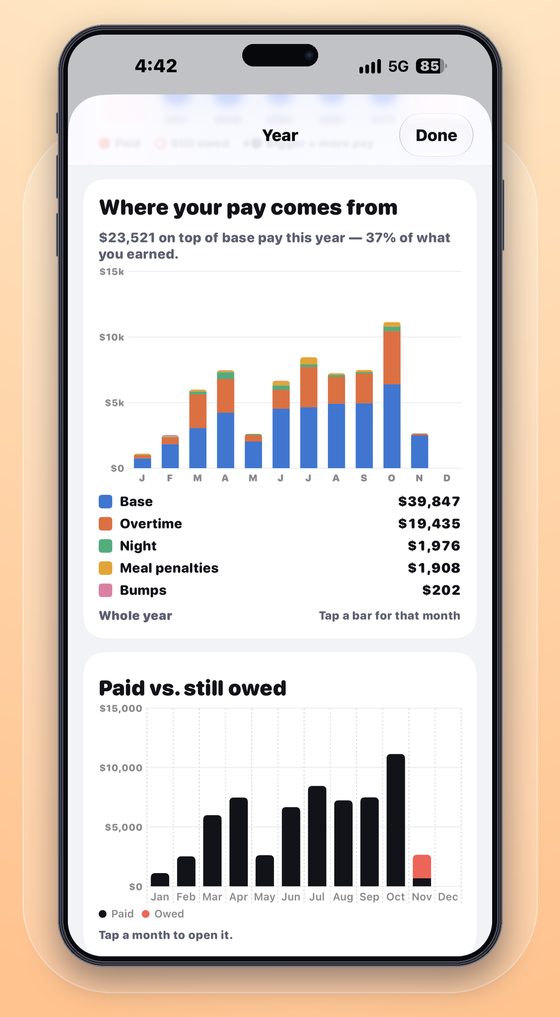
Base, overtime, night premiums, meal penalties and bumps, month by month.
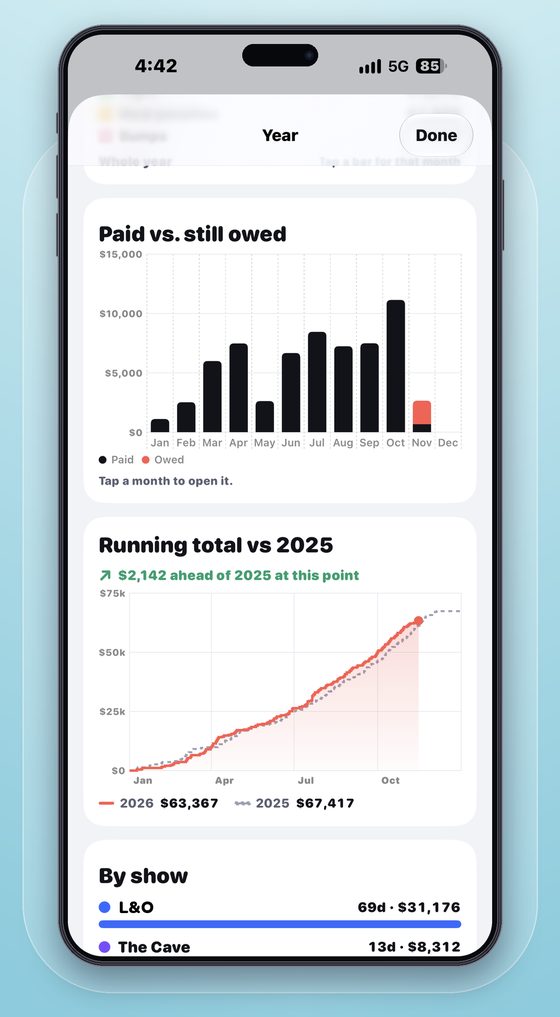
Your running total against last year, so you know if you're ahead — plus totals by show.
Swipe through the app.
Every Pro feature is free until you've logged 10 work days and 30 days have passed.
Prices in USD. Subscriptions renew automatically unless cancelled at least 24 hours before the end of the period; manage them in your Apple ID settings.
SAG-AFTRA TV/Theatrical background, stand-in, special ability and photo double work; day and weekly performers and stunts; Low Budget, Moderate Low Budget and Ultra Low Budget; and the Commercials Contract. Rates update by date when new contract rates take effect.
They're estimates based on published contract rates and rules. Always check your paystub — Wrapped's paystub matching makes that quick and flags anything short.
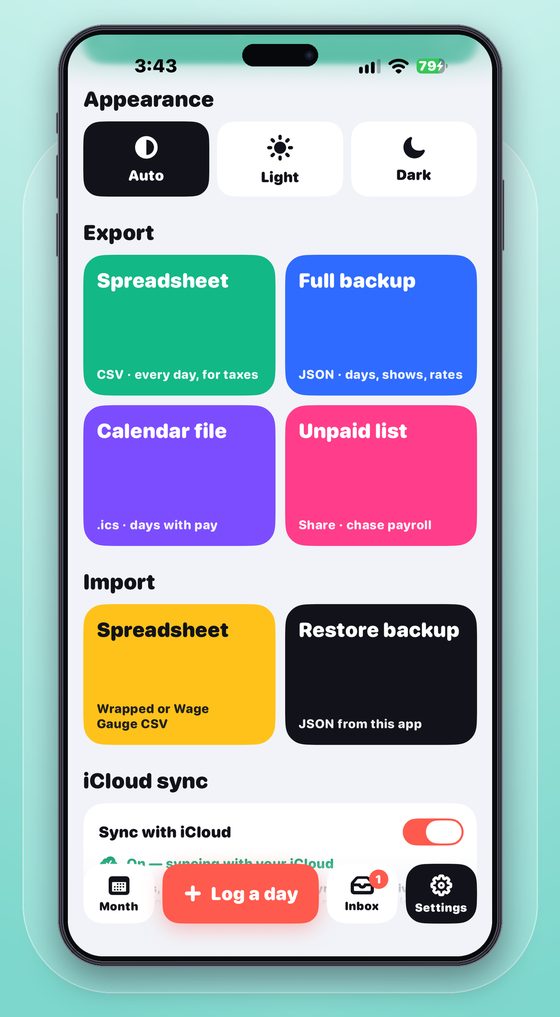
Yes. Export "All Records" from Wage Gauge and import the CSV in Settings → Import. Wrapped shows a summary of everything it brought in.
No. There's no sign-up. Your data stays on your devices, and in your own iCloud if you turn on sync.
Open Settings in Wrapped and tap Restore Purchases on the Pro card. Make sure you're signed in with the same Apple ID you bought with.
Subscriptions are managed by Apple: Settings → your name → Subscriptions on your iPhone, or Manage subscription on Wrapped's Pro card.
Effective November 15, 2026
Wrapped does not collect your data. Everything you enter stays on your devices and, if you turn on iCloud sync, in your own private iCloud account. There are no servers, accounts, analytics, ads or tracking — in the app or on this website.
Work days, shows, times, pay, vouchers, paystubs, residuals, deductions and settings are stored on your iPhone and Apple Watch. We never see them.
If you turn on iCloud sync, your data is stored in your private iCloud database through Apple's CloudKit. Only you can access it. Apple's handling of iCloud data is covered by Apple's Privacy Policy.
Wrapped Pro is bought through the App Store. Apple processes the payment; we receive no payment or card details.
Wrapped is not directed at children and does not knowingly collect information from anyone.
Any changes will be posted here with a new effective date. Questions: wrappedactorpay@gmail.com.